
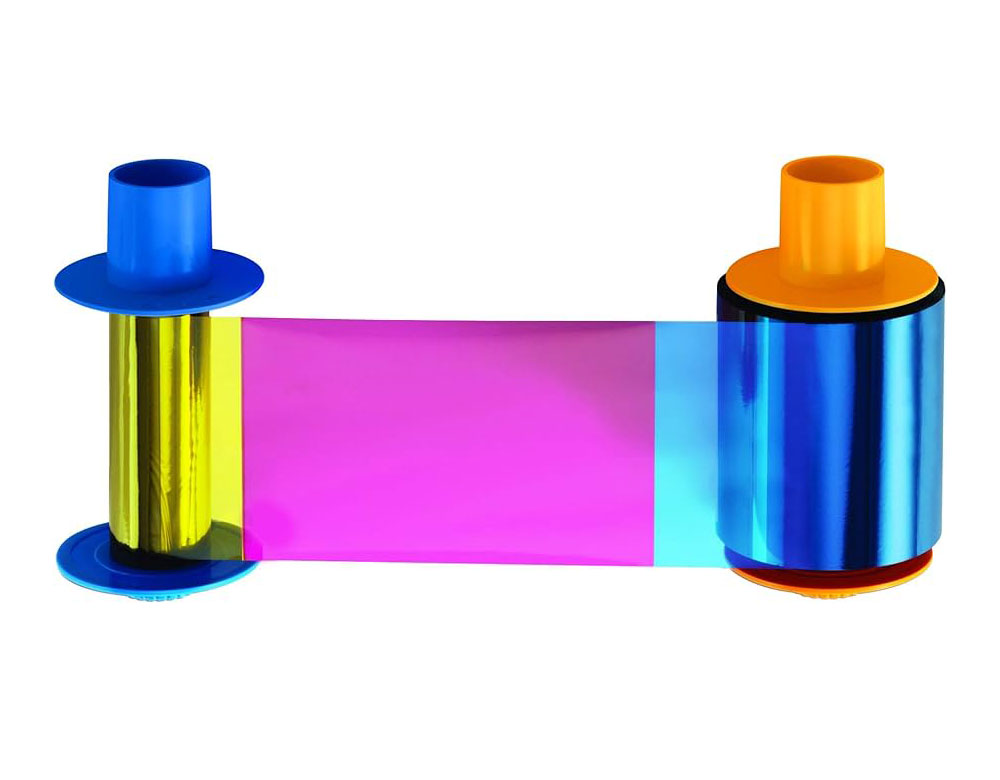
When people think of plastic card solutions, they often focus on the cards themselves (blank cards, gift cards, membership cards) or the printers. But the plastic card accessories that surround the printing system—ribbons, cleaning kits, encoding modules, laminates, hoppers, and more—are often just as critical. Without the right accessories, a card printer can underperform, incur extra maintenance, or limit what you can accomplish.
PlasticCardID.com not only sells card printers and blank cards, but also a robust range of printer accessories and supplies to support your full card printing workflow. Below, we’ll dive into the types of accessories they offer, why they matter, and tips for choosing and using them.
________________________________________
Key Categories of Card Printer Accessories
Here are the primary accessory categories offered or supported by PlasticCardID (or its catalog/partners), and what each contributes:
Accessory Type Purpose / Functionality Typical Models / Options
Ribbons & Overlaminates The “ink” for card printers (full color, monochrome, etc.), plus overlays to protect printed surfaces. YMCKO, YMCKOK, monochrome black, overlaminate films. (PlasticCardID carries ribbons & cleaning kits in its supply catalog.) Plastic Card ID+1
Cleaning Kits & Supplies Clean rollers, printheads, and internal parts to avoid print defects and extend printer life. Cleaning cards, swabs, alcohol pens, cleaning rollers. Datacard cleaning kits are one example. plastic-id.com
Encoding / Upgrade Modules Add or expand capability (magnetic stripe, smart card encoding, dual encoding, etc.). Evolis accessories: S10108 magnetic encoding kit, S10169 dual encoding kit, S10212 lamination module, etc. plastic-id.com+1
Hoppers / Input Trays / Feed Devices Expand the card capacity or change how cards are loaded (e.g. extra hoppers, larger capacity). For example, input hopper for Evolis Primacy 2 printer. plastic-id.com
Embossers & Card Finishing Tools For raised text or embossing effects on PVC cards. PlasticCardID offers plastic card embossers as part of their product line. Plastic Card ID
Each of these accessory types helps your card system meet real-world demands — higher volume, more features, better reliability, or more durable cards.
________________________________________
Why These Accessories Matter
You might ask: can’t a card printer just run with the standard parts it came with? In many cases, yes — for basic low-volume jobs. But here’s where accessories make a difference:
1. Print Quality & Reliability
Over time, dust, debris, and residue will degrade print quality (streaks, smudges, color shift). Cleaning kits keep components in ideal condition, reducing wasted cards and misprints.
2. Extended Capability
Want to add magnetic strip encoding or smart card (contact/contactless) features? You may need an encoding module. Want to laminate cards to protect them? That might require a lamination module. These upgrades allow your printer to grow with your needs.
3. Scalability
As your volume increases, standard input trays may slow you down. Additional or higher-capacity hoppers and feed systems let you load more cards or reduce how often you need to refill.
4. Durability & Longevity
Using overlaminates (clear protective overlays) can significantly extend the life of your printed cards by resisting abrasion, UV exposure, and chemical damage. This is especially important for cards in harsh use environments (outdoor badges, gym passes, etc).
5. Cost Efficiency
Accessories help reduce waste (by lowering misprints) and maintenance costs (by preserving the printer). Over time, the investment in good accessories pays off.
________________________________________
Examples of Accessories You Can Buy Today
Below are some representative accessories (with product links) that similar suppliers carry — accessories you might find via PlasticCardID or complementary distributors. These are illustrative of the kinds of tools and supplies that power a good card printing operation:
IDP SMART series Cleaning Card
$40.00
•
DigiKey + others
Magicard MA1000K Ribbon
$21.99
•
ID Wholesaler + others
IDville ID Badge Cleaning Kit
$46.99
•
Staples + others
Evolis Pebble 4 Ribbon
$98.97
•
Grainger Industrial Supply
Magicard YMCKO Cleaning Kit
$19.99
•
IDville.com + others
Zebra Overlaminate Ribbon
$44.11
•
TapeandMedia.com + others
PVC Card Tray for Canon
$19.99
•
Brainstorm ID + others
PA1111 Multicolor Ribbon
$81.99
•
Brady
Here are some highlights:
• IDP SMART series Cleaning Card – A self-driving cleaning card for IDP SMART printers; helps clean rollers and maintain print quality.
• Magicard MA1000K Ribbon – A monochrome black ribbon (1,000 prints) for crisp black text and variable data printing.
• IDville ID Badge Printing Cleaning Kit – A cleaning kit including cards and pens to maintain printheads.
• Evolis Pebble 4 Ribbon – Color ribbon specific to Evolis Pebble printers (for full-color printing).
• Magicard YMCKO Cleaning Kit – A combo kit for cleaning plus YMCKO ribbon for Magicard printers.
• Zebra Overlaminate Ribbon – A protective overlaminate ribbon, used after printing to protect card surfaces.
• PVC Card Tray for Canon – A PVC card tray that lets compatible inkjet printers feed plastic cards.
• PA1111 Multicolor Ribbon – A full-color ribbon (YMCKO) for the PA1111 printer — suitable for graphic-rich card designs.
These accessories illustrate how you mix and match cleaning, printing, protection, and feed tools to build a complete, reliable workflow.
________________________________________
Tips for Selecting & Using Plastic Card Printer
Accessories
To get the most out of your card printer and accessories, here are best practices:
• Match to Printer Model
Always use ribbons, encoders, hoppers, etc. that are compatible with your specific printer model and firmware version. Using mismatched parts can damage rollers or void warranties.
• Use Genuine or High Quality Parts
While cheaper third-party supplies exist, the original or certified equivalent parts tend to produce more consistent results and risk fewer failures (e.g. clogged print heads, weak overlays).
• Maintain a Cleaning Schedule
Don’t wait until prints look bad — set a regular maintenance interval (e.g., every few hundred card prints) to use cleaning cards, swabs, etc.
• Plan for Volume Growth
If your printing needs will grow, consider investing in accessories like extra hoppers or larger input trays preemptively.
• Keep Spares on Hand
Always have backup ribbons, cleaning cards, and key modules so downtime is minimal if something fails mid project.
• Test When Upgrading
When installing an encoding kit or lamination module, run test prints to calibrate speeds, alignment, and verify reliability.
________________________________________
Conclusion
PlasticCardID’s strength isn’t only in supplying blank plastic cards and printers — equally important is the ecosystem of accessories and supplies that support smooth, high-quality card production over time. With the right ribbons, cleaning kits, encoding modules, laminates, and feeders, your card printing infrastructure becomes more flexible, reliable, and scalable.

Leave A Comment